App Overview - Grow Cycle Card
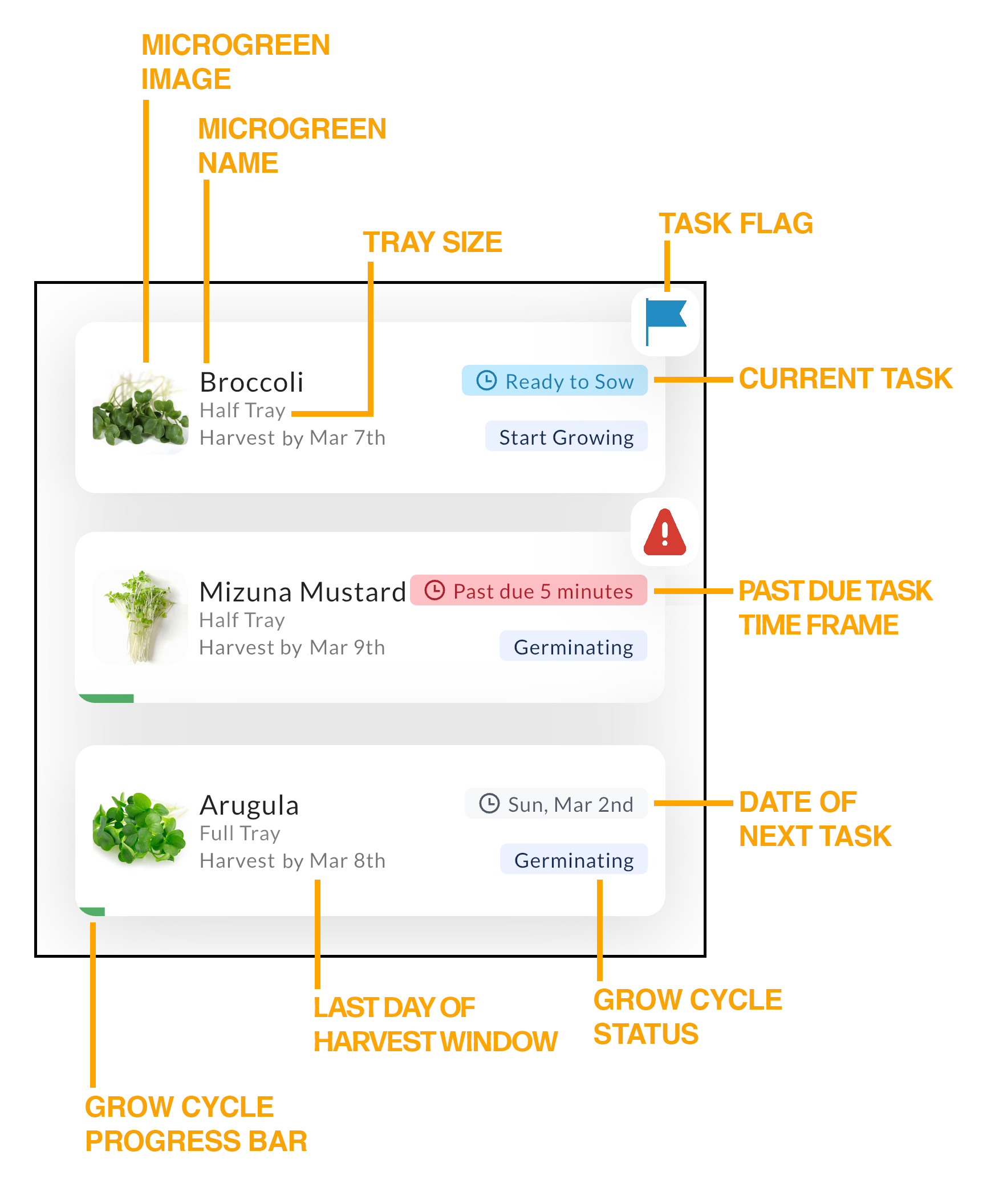
Each Grow Cycle card displays the following information:
- what you are growing
- what size tray you are growing it on
- what the last day of the Harvest Window is
- what the current task is, or, if there is no current task, what the date of the next task is
- what the status of the grow cycle is
- current or overdue task indicator (aka the Task Flag)
Some notes:
- If you don't see a Task Flag, that means you do not have any tasks
- because you completed it
- because another user on your account completed it
- because it was marked as done (even if it wasn't completed - oops!)
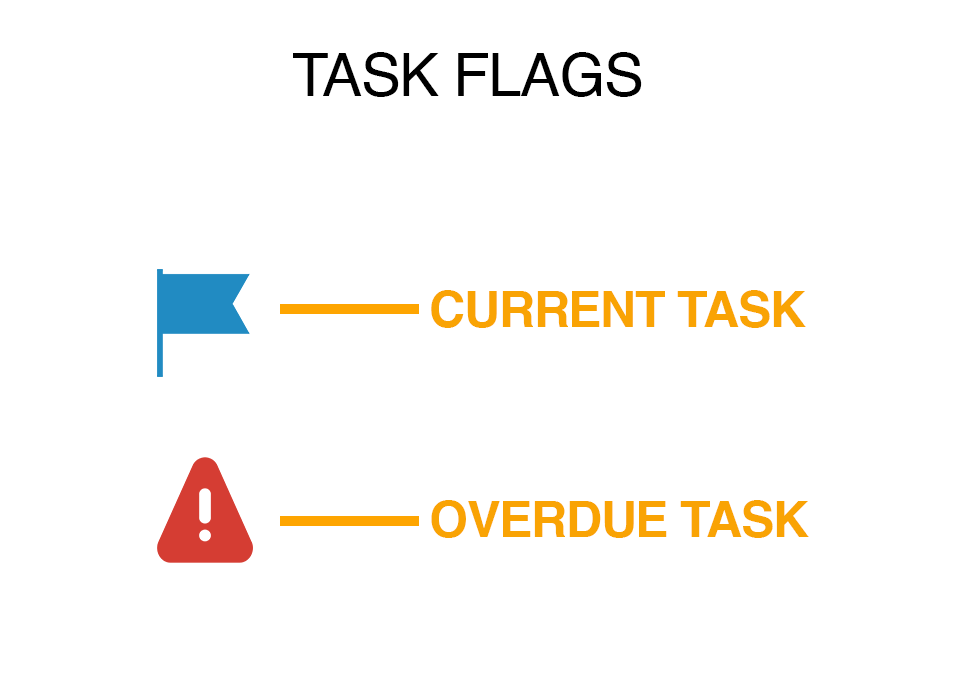
- If there is a current task a Blue Task Flag is displayed and the info area in the top right hand corner displays what the task is (also in blue)
- If there is an overdue task (Red Alert Task Flag), the info area in the top right hand corner will display how long the task is past due (also in red)
- If there isn't a current task (no task flags), the info area in the top right hand corner displays the date of the next task
- Click on the Grow Cycle Card when there isn't a task pending will display a preview of the upcoming task